10 Steps to Start Freelance Video Editing (Cut Your Way to Wealth) in 2026
Parth — Hustle Teacher
Masterclass Guide
🛠️ We are living in the age of the “Video First” internet, but not everyone knows how to edit for retention.
The frustration of seeing great video footage ruined by bad pacing, boring edits, or poor sound design is a massive waste of potential for creators. You feel that video is your medium, but you don’t know how to turn your passion into a high-income career.
The good news is that freelance video editing is a skill that allows you to capture attention and tell stories while earning a massive income. In 2026, with the explosion of Short-Form content and YouTube branding, the demand for High-Retention Video Editing is at an absolute peak.
In this guide, you’ll discover the absolute best way to start your freelance video editing journey today. We will break down the principles of storytelling, the tools you need, and the 26-step roadmap to your first professional editing contract. This is the ultimate masterclass in professional visual engineering.
Let’s get started.
📌 What You'll Learn
- What professional video editing looks like in 2026
- The 3 pillars of 'Retention-First' storytelling
- 5 most profitable editing niches for beginners
- The 'Content-Partner' business model explained
- A 26-point step-by-step editing roadmap
- Monetization and advanced profit strategies for editors
- How to build a viral showreel from zero
In this guide:
🎬 What is Video Editing in 2026?
Video editing is the process of manipulating and rearranging video shots to create a new, meaningful work. In 2026, video editing is no longer just “cutting clips.” It is Attention Engineering.
You are the gatekeeper of a creator’s audience. You help brands keep people watching for 10 seconds, 10 minutes, or an hour. As a freelance video editor, you don’t sell “edits.” You sell Retention and Engagement.
For example, a YouTuber hire you to edit their vlog. The goal is not just to have a vlog. The goal is to have a vlog where the “Average View Duration” is 70% or higher, so the YouTube algorithm pushes it to millions of people.
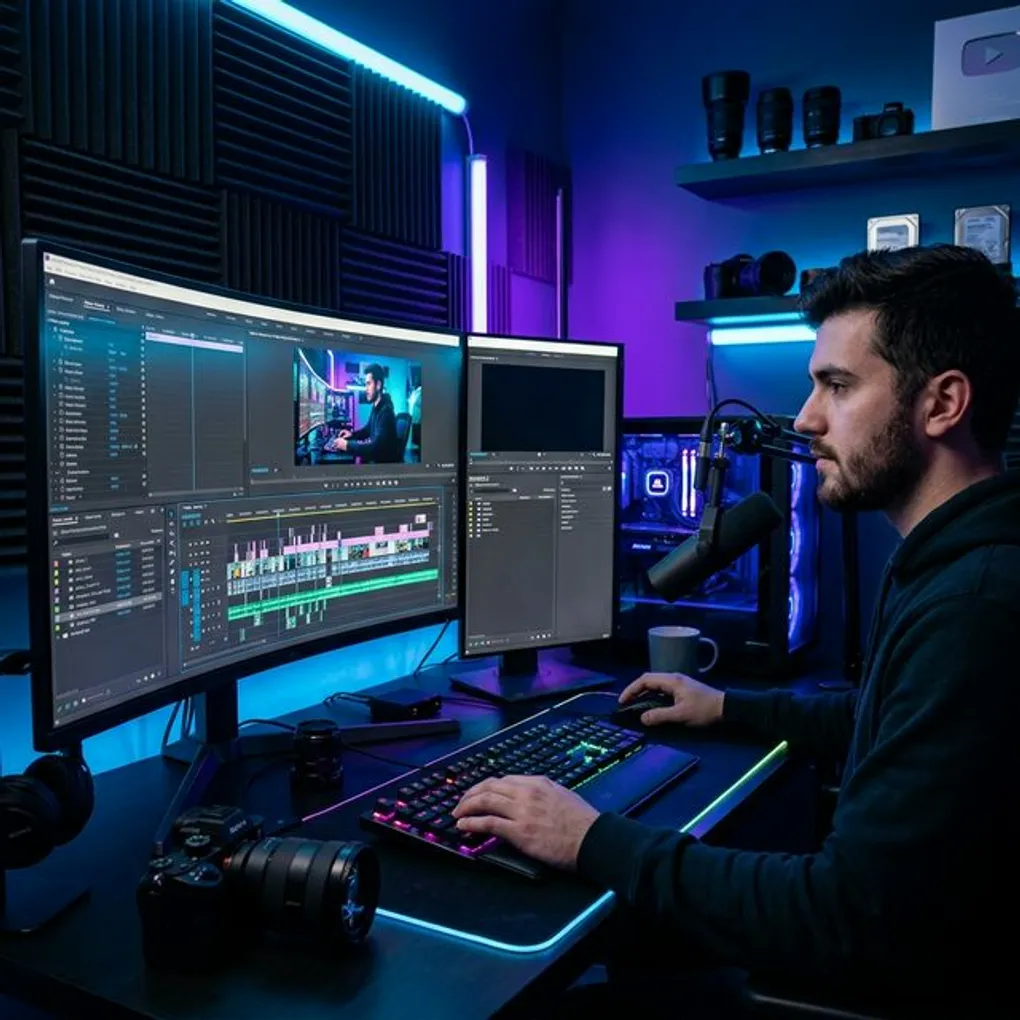
 Caption: The Power of Pacing—how a great edit turns raw footage into viral gold.
✨ The 2026 Reality:
With thousands of hours of video uploaded every minute, the value of Skilled Storytelling has never been higher. AI can generate basic clips, but it cannot understand the Rhythm of Humor or the Emotional Impact of a specific cut. This is where your human “feel” becomes a high-ticket asset.
🧠 The 3 Pillars of Retention-First Storytelling
To earn money through video editing, you must master the science of the human brain. In 2026, these are the standards that build viral channels.
🎯 1. The Hook is Everything
You have 1.5 seconds to stop the scroll on TikTok and 5 seconds on YouTube. The first frame, the first sound, and the first text on screen are 80% of the video’s success.
📈 2. Pacing & Rhythm
If a scene stays still for more than 3 seconds without a cut, a sound effect, or a text overlay, the viewer will leave. Learn when to slow down for emotion and when to speed up for energy.
✨ 3. Sound Design is 70% of the Video
People will watch a blurry video with great sound, but they will turn off a 4K video with bad sound. The music choice, the “woosh” effects, and the audio leveling are what make an edit feel professional.
 Caption: The 3 Layers of a Professional Edit: Visuals, Sound, and Pacing.
✨ 4. Visual Pattern Interrupts
Use B-roll, captions, zoom-ins, and transitions to “reset” the viewer’s brain every few seconds. This prevents the “boredom scroll.”
🎯 5 High-Value Video Niches to Master
If you are a beginner, master one of these niches first. They are the “High-Demand” sectors for 2026.
- Short-Form Content (TikTok/Reels/Shorts): High speed, captions-heavy, and engagement-focused.
- Documentary Style YouTube: Cinematic, story-heavy, and deep research based.
- Internal Brand Communication: Professional, polished, and instructional videos for big companies.
- Educational & Course Editing: Clear, structured, and motion-graphics heavy.
- Real Estate & Travel: Cinematic, color-graded, and high-energy “hype” edits.
Video Editing Niche Earning Comparison
| Niche | Demand | Beginner Rate | Expert Rate |
|---|---|---|---|
| Short-Form | Very High | $50/video | $300/video |
| YouTube Vlog | High | $150/edit | $2,000/edit |
| Brand Ad | Medium | $500 | $10,000+ |
| Course Editing | Medium | $400 | $5,000+ |
| Documentary | High | $1,000 | $20,000+ |
 Caption: Specialize in a niche where the clients are already making money from their videos.
🛠️ How to Choose?
Look at the types of videos you watch for fun. If you love fast-paced TikToks, edit Short-Form. If you love long documentaries, edit for high-end YouTubers. Your enthusiasm will show in the pacing.
📈 The Video Editing Business Model Explained
Editing is about Revenue Partnerships with creators.
🎯 1. The “Per Video” Model
A creator needs a video. You edit it. You get paid. Example: $100 for a 10-minute edit. Pro: Quick turnarounds. Cons: High pressure to keep finding new videos.
❌ 2. The “Content Partner” Model (Retainer)
You manage a creator’s entire channel. Example: $3,000/month for 4 YouTube videos and 10 TikTok clips. This is the gold standard for professional freelancers in 2026.
✅ 3. The “Production Agency” Model
You hire sub-editors to handle the base cuts. You act as the “Creative Director” who finalizes the pacing and strategy. This allows you to scale to $20k/month without editing every second yourself.
 Caption: Moving from ‘Clipping Footage’ to ‘Directing Content Strategy’.
🔥 4. Performance Bonuses
Once you’re proven, ask for a “Retention Bonus.” Example: $500 base + $500 if the video reaches 1M views in 30 days. This aligns your success with the client’s success.
🚀 The 26-Step Master Roadmap (Core Tutorial)
Follow this exact sequence to build your editing empire.
🪜 Phase 1: Skill Development (Steps 1–7)
- Choose your Software: Premiere Pro (Industry) or DaVinci Resolve (Color).
- Master the Shortcuts: Speed is the only thing that matters in editing.
- Study Storytelling: Learn the “3-Act Structure.”
- Study Sound Design: Learn how to layer music, SFX, and dialogue.
- Analyze 10 Viral Videos: Mark every cut. Understand why they cut there.
- Learn Color Grading: Make cheap phone footage look like a movie.
- Create 3 “Spec” Edits: Find free footage online (Pexels) and edit a story.
🪜 Phase 2: Building Authority (Steps 8–15)
- Setup a Showreel: A 60-second video of your absolute best shots.
- Post “Before vs After”: Show raw footage vs. the final color-graded edit.
- Optimize your LinkedIn: Title: “Video Editor for [Niche] Creators.”
- Cold-Outreach to Fast-Growing Creators: Use sites like SocialBlade.
- The “Shorts” Strategy: Take their long video. Edit a viral 30s clip. Send it for free.
- Professional Editing Contract: Specify delivery times and raw storage.
- Setup Fast Review: Use Frame.io to get time-stamped feedback.
- The Discovery Call: Ask about their “Retention Rate”—where are they losing people?
 Caption: A 60-second showreel is 100x more powerful than a resume in the video world.
🪜 Phase 3: Scaling & Success (Steps 16–26)
- First Project Delivery: Provide 3 different “Hook” options for them.
- Ask for the Testimonial: “How did the viewers react to the new style?”
- Add “Thumbnail Design” as an upsell: Help the video get clicked.
- Network in Creator Masterminds: Connect with high-level YouTubers.
- The Referral Engine: Offer credit toward the next video for every intro.
- Build a “Sound Library”: Collect thousands of unique SFX and songs.
- Pitch the “Channel Refresh”: Retell their old, poor-performing stories.
- Hire a Jr. Editor: Hire someone to handle the “A-Roll” assembly.
- Build your Presets: Save your unique color and text styles for speed.
- The Strategy Session: Charge for “Channel Audits.”
- The Agency Shift: Hire full-time animators and sound designers.
💰 How to Make Money with Video Editing (Profit Strategies)
Beyond client work, how do you turn your renders into revenue?
💡 1. Affiliate Marketing
Recommend the software and hardware you use (See Tools Section). Revenue Source: High-value affiliate commissions on subscriptions.
✅ 2. Digital Products
Sell your “Editing Assets.”
- Lut Packs (Color): $27.
- Sound Design Kits: $47.
- Premiere Pro Templates: $197.
💡 3. Stock Footage
Shoot and color-grade unique clips and upload them to sites like Pexels or Envato. Revenue Source: Passive per-download income.
 Caption: Moving from ‘Trading Hours for Keyframes’ to ‘Building a Video Production Ecosystem’.
⚠️ Common Mistakes to Avoid (The Failures)
Avoid these 5 things to keep your clients repeat-billing.
- Bad Audio Levels: Never let the music drown out the speaker.
- Over-Editing: Using “Flashy” transitions that distract from the story.
- Slow Turnarounds: In the world of daily content, speed is a skill.
- Ignoring the Narrative: Focusing on “effects” instead of “the message.”
- No Call to Action: Ending the video without a clear instruction.
👉 Google likes problem-solution content. Always frame your edit as the solution to a creator’s “Low Retention” problem.
🛠️ Essential Tools for Video Editors
In 2026, you need a mix of pro-software and AI-speed tools.
🎯 Affiliate Strategy:
Creators will always ask: “Where do you get your music?” Offer them your Epidemic Sound Link. It solves their legal headache and burns a recurring commission for you.
 Caption: A professional workflow allows you to edit 3x faster than your competition.
⛓️ Helpful Resources & Internal Links
To become a master editor, broaden your storytelling skills:
- The Ultimate Masterclass on Freelance Strategy
- How to Write Scripts for High-Retention Video
- Building Brand Authority through Content
🔗 External Authority Links
❓ Frequently Asked Questions (FAQ)
Frequently Asked Questions
QDo I need a powerful computer for video editing?
QWhich software is best for beginners?
QHow much do freelance video editors charge?
🏁 Conclusion: Engineering Attention
💡 Recap:
We have covered the difference between cutting clips and engineering attention, the 3 pillars of retention, the 26-step roadmap, and how to scale to a content partner model. Video is the most powerful “Trust-Building” tool in the world.
🎯 Encouragement:
You don’t need a film school degree to be a great video editor. You just need to be a Perspective Master. If you can see a raw piece of footage and find the “Magic Moment” in it, you have what it takes.
🪜 Next Step:
Go to Step 7. Take any 5-minute video from your phone. Edit it into a 30-second high-energy story. Post it on your Reels or TikTok. That is your first render. Start now.
Want our 2026 Viral Hook Library?
Sign up for our newsletter and get the exact first 3 seconds we use to stop the scroll every time.
Download Hooks
This 3000-word masterclass is updated with the latest 2026 audience behavior data. For more info, see our Privacy Policy.
About the Author: Parth
Parth is a digital entrepreneur and the founder of Hustle Teacher. With years of experience in online business, he specializes in helping students and beginners build sustainable income streams.